
README
EmailHandler
A free desktop app that cleans up your mailbox with AI.
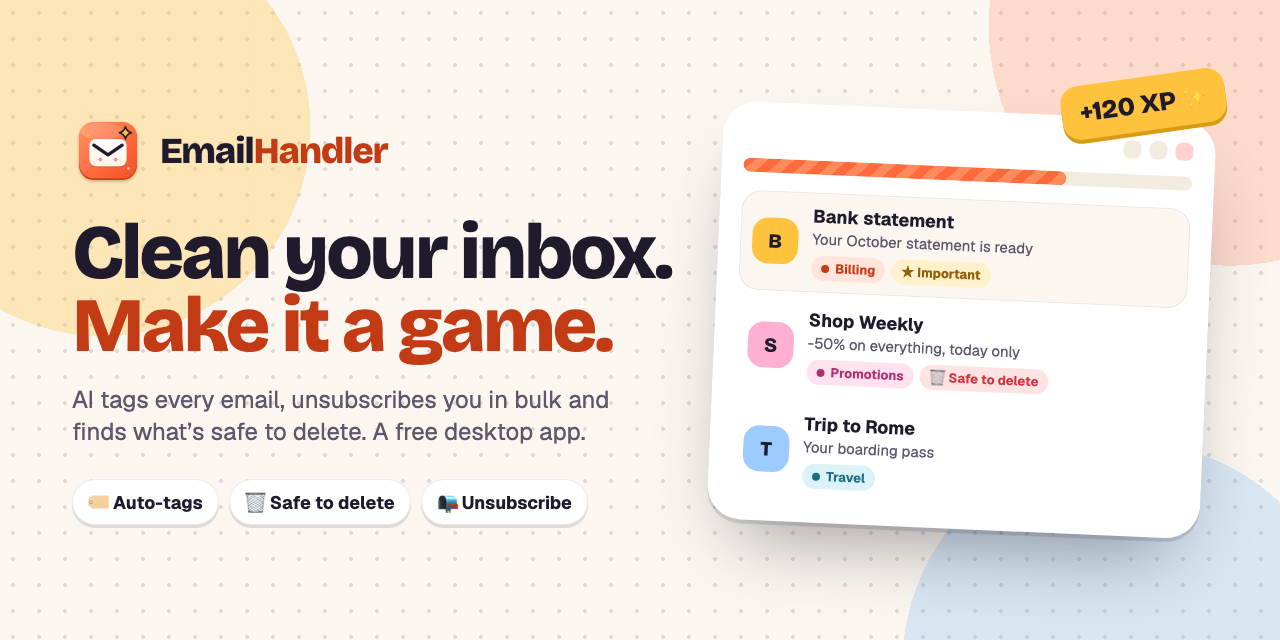
What it does
| Tags every email | Jev (TypeSafe's decision model) sorts each email into one of 11 colored tags (Billing, Orders, Newsletters, Promotions, Social, Work, Personal, Travel, Security, Spam, Other), in your language. |
| Finds what matters | An Important tag for receipts, contracts, prescriptions and real conversations. It sits next to the normal tag. |
| Finds what's safe to delete | Promotions, expired alerts, old delivery updates. Old emails (6 months or older) get an "importance today" score from 0 to 4, so you can clear years of clutter, tagged or not. |
| Unsubscribes in bulk | One-click (RFC 8058) when the sender supports it, an email when it doesn't, a link as the last resort. Never for spam. |
| Cleans up by sender | Tag or trash everything from one sender in a period, with the exact count shown first. |
| Empties the Trash | One click, permanent, with a confirmation. |
| Several accounts | Gmail and Outlook side by side, one Jev key for all of them. |
Nothing happens on its own. Every action needs your click and shows the exact number of emails first. Starred (Gmail) and flagged (Outlook) emails are never touched. Deleting goes to Trash first (30 days), unless you empty it.
Private by design
There is no EmailHandler server. Everything runs on your computer:
- Your mailbox is called directly with your own sign-in (Google or Microsoft).
- Jev is called directly with your own TypeSafe key.
- Sign-in tokens and the remembered Jev key are encrypted with the OS keychain (Keychain, DPAPI, libsecret). On Linux without a keyring the app warns you that they only get basic protection.
- Scan results stay in a local database, one per account. Email bodies are never stored.
Sign in
Click Sign in with Google or Sign in with Microsoft. Your browser opens the provider's usual sign-in page; approve access and you're back in the app. That's it: no setup, no codes to copy.
| Provider | Works with |
|---|---|
| Gmail, Google Workspace | |
| Microsoft | Outlook.com, Hotmail, Live, MSN, Microsoft 365 |
During the beta, Google only lets invited testers sign in, and shows "Google hasn't verified this app": click Advanced → Go to EmailHandler. Microsoft may label the app "unverified". Both go away once the app is verified.
Develop
Requires Node 24 (nvm use).
npm install
npm start          # Angular dev server on :4300 + Electron window
npm test           # unit tests (SSRF guard, OAuth/PKCE, accounts, Graph mapping, unsubscribe)
npm run test:it    # Outlook integration test inside Electron (fake Microsoft Graph)
npm run typecheck  # UI (templates included) + Electron
npm run app        # build, then run the built app
npm run brand      # re-render icon, og-image and GitHub social preview from build/*.svg|html
The technical documentation, with what every file and function does, is in docs/TECHNICAL.md (in the source code).
Client IDs (developers only)
Sign-in needs one free client ID per provider. It identifies the app, not the user, and is built into the app, so users never see it.
- Create them once: step-by-step guide (in Italian) in
docs/guida-client-id.html(in the source code). - Put them in
oauth.config.jsonat the repo root, followingoauth.config.example.json. The file is gitignored and bundled into every build. - For development you can use
EH_GOOGLE_CLIENT_ID,EH_GOOGLE_CLIENT_SECRETandEH_MICROSOFT_CLIENT_IDinstead.
A build without a client ID shows that provider's button greyed out ("Sign-in isn't available in this build").
Build installers (free, unsigned)
npm run dist:mac     # .dmg + .zip (arm64, x64), ad-hoc signed
npm run dist:win     # NSIS installer (x64, arm64), unsigned
npm run dist:linux   # AppImage + .deb (x64, arm64)
npm run pack         # unpacked app for the current OS, for testing
Output goes to release/. Building each OS on its own machine works best, for example on free GitHub Actions runners.
Since there is no paid code-signing certificate, the first launch needs one extra step:
- macOS: open the app once, then System Settings → Privacy & Security → Open Anyway. Or run
xattr -dr com.apple.quarantine /Applications/EmailHandler.app. - Windows: at "Windows protected your PC", click More info → Run anyway.
- Linux:
chmod +x EmailHandler-*.AppImage, or install the.deb.
Layout
electron/   main process: frameless window, app:// protocol + CSP, IPC,
            sign-in (Google + Microsoft), Gmail + Microsoft Graph, Jev,
            one-click unsubscribe (SSRF guard), encrypted secrets
src/        Angular UI (setup + app), EN/IT; talks to electron/ only via window.emailHandler
build/      icon, share image, macOS entitlements
tools/      brand image renderer
docs/       technical documentation + client ID guide
landing/    archived web landing page (not built)